
 Egypt
Egypt  UAE
UAE  Saudi Arabia
 Openhagen LightBoks II: A Dim-Room Projector Guide
Considering the walnut LightBoks II? Check native 1080p resolution, listed 300 ANSI brightness, 4K input support, and unresolved streaming-app details.
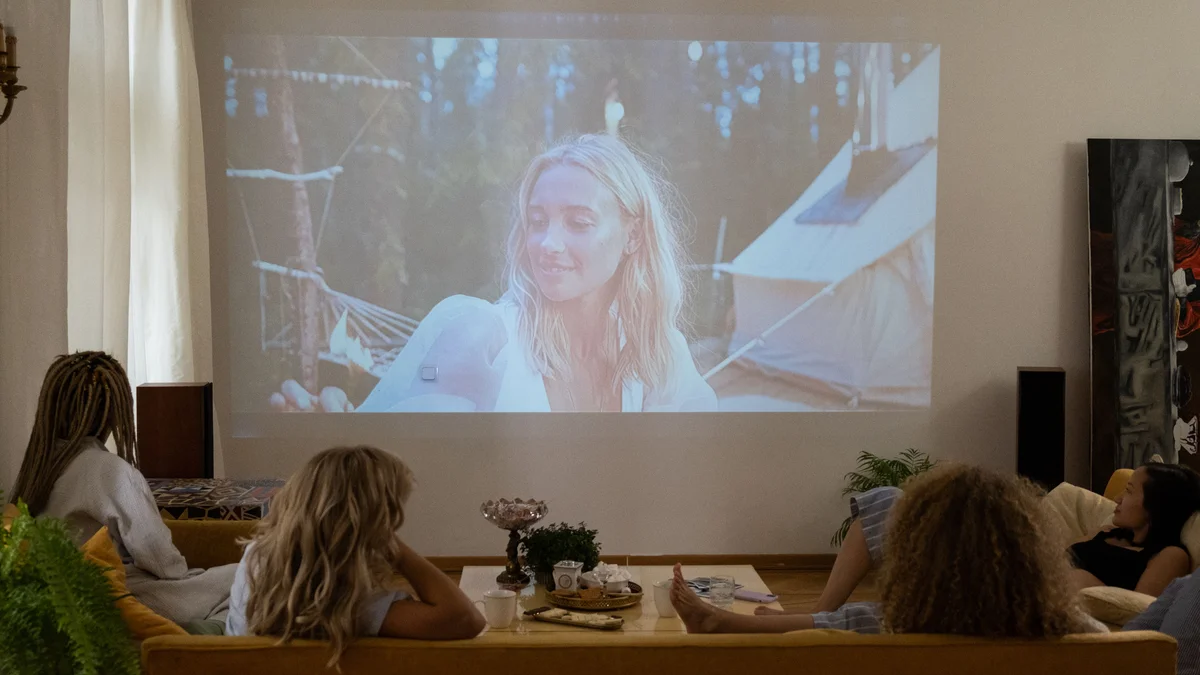
Verdict: Consider the walnut LightBoks II for occasional movie viewing in a dim room if you like its wooden design and can verify your playback source. Its native resolution is 1920 x 1080, not 4K. Choose another model if bright-room use, certified streaming apps, or measured gaming latency is essential.
We may earn a commission from purchases through our links, at no extra cost to you. Full disclosure.
Our picks
Openhagen LightBoks II Walnut Home Projector
Openhagen
Approx. price when checked: $599 (as of October 2026)
Advantages
- Native 1920 x 1080 resolution for occasional film viewing
- Electronic focus for adjusting image sharpness
- Both 2.4 and 5 GHz Wi-Fi bands give you a choice for connecting to your network
Before you order
- 300 ANSI brightness calls for a dim-room viewing plan
- Android 9.0 specifications and broader app marketing leave certification unresolved
- Fan noise, input lag, and real image quality have not been independently verified
Best for: Occasional home movie viewing with room light controlled.
Consider another option if: You need a bright-room TV replacement.
Price checked: October 5, 2026
Who should buy
- Occasional home movie viewing with room light controlled
- Buyers who want a wooden projector design and can verify their playback setup
Consider another option if
- You need a bright-room TV replacement
- You require confirmed streaming-service certification or measured gaming latency
The Openhagen LightBoks II in Walnut is worth considering for occasional movies in a dim room if the wooden design appeals to you. Start with two checks: whether you can control the room light, and whether your intended playback service works through a supported, verified setup. The listing does not settle every smart-projector claim.
Read 1080p and 4K support as different specifications
Openhagen lists 1920 x 1080 native resolution, alongside support for 4K. The first figure describes the native image resolution. The second describes supported input and does not make this a native 4K projector.
If your reason for changing displays is specifically native 4K detail, this model does not meet that requirement. If you want an occasional large image for films, resolution is only one part of the decision: room light, image size, focus, and playback compatibility also matter.
The home-projectors hub starts with this focused assessment of the LightBoks II.
Check the model generation when reading other coverage. Articles about the original LightBoks launch do not establish the specifications or app support of the LightBoks II. The current II listing gives a 42 to 180-inch image range and a separate 1 to 5 m projection-distance range.
Plan around a dim room
Openhagen specifies 300 ANSI lumens, a standardized measure of projector brightness. Our buying inference from this figure is to plan for controlled room light and evening viewing. It does not establish clear daytime viewing.
Use three checks to decide whether to keep this model on your shortlist:
- Light: At your usual viewing time, check which curtains and room lights you can control. If you need the image visible with daylight falling on the screen, seek independently measured bright-room performance before choosing a projector.
- Image size: Write down the size you actually want, rather than starting at the advertised maximum. A larger image spreads the available light over a larger area; the size range does not promise equal brightness throughout. ViewSonic’s brightness guide explains how screen size and ambient light affect the choice.
- Playback: Name the service and device you will use. A room that works for projection still needs a supported playback connection, as the Netflix checks below explain.
Work out the room-to-screen fit
Measure the clear wall or screen width and height, then the distance from the proposed lens position to that surface. Note where the seats, power outlet, and walking route will be. The room-planning guide can help map these positions.
BenQ explains throw ratio as lens-to-screen distance divided by image width, using the same units. Width is not the diagonal screen size. For a hypothetical room with 10 ft from lens to screen and a desired image 6 ft wide, the required ratio is 10 / 6, or about 1.67. That is a room-planning example, not a LightBoks II specification.
Send Openhagen your available lens distance and desired image width and height. Ask for a supported size-and-distance pairing for the II, including any positioning adjustments needed. Do not divide endpoints from its separate 42 to 180-inch and 1 to 5 m ranges to infer a throw ratio. The seller’s aspect-ratio specifications are inconsistent, so confirm the screen shape as well before buying a fitted screen.
Verify your actual streaming service
The detailed specification names Android 9.0, while the marketing uses broader Android TV and streaming-app language. That combination does not establish service certification, app update support, or a guaranteed playback resolution for Netflix or another subscription service.
For Netflix, separate three ways of watching:
- The projector’s built-in app. Ask Openhagen whether this exact LightBoks II is certified for Netflix and what playback resolution it supports. Netflix’s projector guidance ties its app support to compatible projector models. A service logo or app icon does not resolve certification, and absence from a brand list alone is not proof that every playback method is incompatible.
- Phone mirroring. Netflix explicitly says that AirPlay from an iPhone or iPad is not supported in its mobile-device guidance. The LightBoks listing’s AirPlay/Miracast wording therefore does not establish a way to mirror Netflix from your iPhone.
- A separate playback device. Netflix’s projector guidance describes connecting a Netflix-supported device through a suitable video connection. Openhagen mentions HDMI in its FAQ, but confirm the exact playback device, cable or adapter, and supported resolution before relying on that connection. A streaming stick is an option to verify, not a guaranteed fix.
Use the same service-specific check for any other app you consider essential. Android 9.0 and dual-band Wi-Fi identify software and network features; they do not settle each service’s playback requirements.
Check the practical limits beyond the picture
Electronic focus and built-in dual stereo sound cover image adjustment and onboard audio. If quiet viewing or clear sound across a larger room is essential, seek independent measurements or a demonstration before choosing it.
For games, Openhagen advertises 17 ms latency, but our evidence includes no independent measurement or test conditions for that figure. Wireless mirroring alone does not prove that a game will feel responsive. Choose a projector with suitable independent latency measurements if fast gameplay is a priority.
For a movie-night setup, the popcorn-maker guide covers a separate part of the evening. Settle the display and playback needs first; accessories do not resolve an uncertain projector fit.
When the LightBoks II is a reasonable choice
The clearest case is occasional viewing with room light controlled, a preference for its wooden housing, and a playback method you have confirmed. The card follows the Walnut variant, checked October 5, 2026; confirm the selection and current item price through its button.
Skip it if your purchase depends on daytime viewing, native 4K, certified built-in streaming, or proven gaming response. Those are substantive requirements, and the evidence available here does not establish them.
Sources
We assessed Openhagen’s exact Walnut listing, detailed specifications, and smart-projector marketing on October 5, 2026. The linked Netflix, BenQ, and ViewSonic guidance explains playback and room planning; it does not verify LightBoks II performance.
- Openhagen LightBoks II, Walnut, variant 48500918944089, reached through the product-card button: item price, purchase control, native resolution, 4K input support, listed brightness, image and distance ranges, electronic focus, wireless features, Android 9.0 specification, and FAQ claims about HDMI and latency.
About this guide
- Editing
- Mizaan Home editorial team
- Last updated
Research based on published specifications, without hands-on testing. How we choose
Prices are checked per product; the oldest check on this page:
Frequently asked questions
Is the LightBoks II a native 4K projector?
No. Openhagen lists native 1920 x 1080 resolution with 4K support. Input support does not turn the projected image into native 4K.
Will Netflix work on the LightBoks II?
Certification for the exact LightBoks II remains unconfirmed. Netflix also states that it does not support AirPlay from an iPhone or iPad. Check the built-in app separately from an external playback device; the Netflix sources and connection checks in this guide explain the distinction.
Is the LightBoks II suitable for daylight viewing?
Plan for a dim room based on the 300 ANSI brightness specification. If daytime viewing is essential, choose a model with suitable independently measured bright-room performance.
Can the LightBoks II be recommended for gaming?
No independent measured input-lag result is available in the evidence for this guide. Wireless mirroring support alone does not establish responsive gameplay.